
Client-Side Tracking Flaws Every SaaS Team Must Fix
Client-side tracking silently loses up to 40% of your data. Learn the key flaws SaaS teams must fix to restore accuracy and protect revenue decisions.
Introduction
Client-side tracking is silently bleeding data from your SaaS analytics, and most teams have no idea how much they are actually losing. Between ad blocker adoption, browser privacy restrictions like ITP and ETP, and the accelerating deprecation of third-party cookies, client-side tracking limitations now cause 20% to 40% of behavioral events to vanish before they reach any analytics platform. For growth operators and data engineers making product decisions based on this data, every missing event compounds into flawed attribution models, broken funnels, and misallocated budgets. The gap between what your users actually do and what your dashboards report is widening every quarter, and closing it requires understanding exactly where client-side tracking breaks down.
Key Takeaway: Client-side tracking alone is no longer reliable for SaaS teams that depend on accurate behavioral data; fixing the most common failure modes and adopting a hybrid or server-side tracking implementation is now a prerequisite for trustworthy analytics.

Where Client-Side Tracking Breaks Down
Client-side tracking relies on JavaScript executing in the user's browser, which means every event is subject to conditions the SaaS team cannot control. Understanding these failure modes is the first step toward tracking data loss prevention, because you cannot fix what you have not diagnosed.
Ad Blockers, Browser Privacy, and Script Failures
Ad blockers represent the single largest source of silent data loss for SaaS products today. With global ad blocker adoption now exceeding 900 million devices, any tracking script loaded from a known analytics domain gets blocked before it fires a single event. The ad blocker impact on tracking is especially severe among technical audiences, the exact demographic most SaaS products serve. Here is where the damage compounds:
Extension-based blockers: Tools like uBlock Origin and AdGuard maintain filter lists that block requests to domains like google-analytics.com, segment.com, and mixpanel.com by default
Browser-native privacy features: Safari's ITP caps first-party cookie lifetimes at 7 days (or 24 hours for link-decorated traffic), while Firefox's ETP blocks known trackers out of the box
Script load failures: Slow connections, aggressive Content Security Policies, and JavaScript errors upstream of your tracking code can prevent the SDK from initializing entirely
Consent management gaps: Users who decline cookie banners under GDPR or ePrivacy regulations suppress tracking, and many consent implementations fail silently rather than logging the gap
The Compounding Cost of Missing Events
A 25% event loss rate does not mean your numbers are simply 25% low. Missing events are not distributed evenly across user segments, devices, or geographies. Technical users, power users on desktop browsers, and European visitors are disproportionately likely to use ad blockers or trigger browser privacy restrictions. This means your conversion tracking accuracy is worst for the cohorts that matter most to product decisions. When you run an A/B test, and one variant attracts more privacy-conscious users, the data skew can flip the apparent winner entirely. Attribution models that rely on client-side events misallocate spend toward channels where tracking happens to survive rather than channels that actually perform.
Server-Side vs Client-Side Tracking: Choosing the Right Architecture
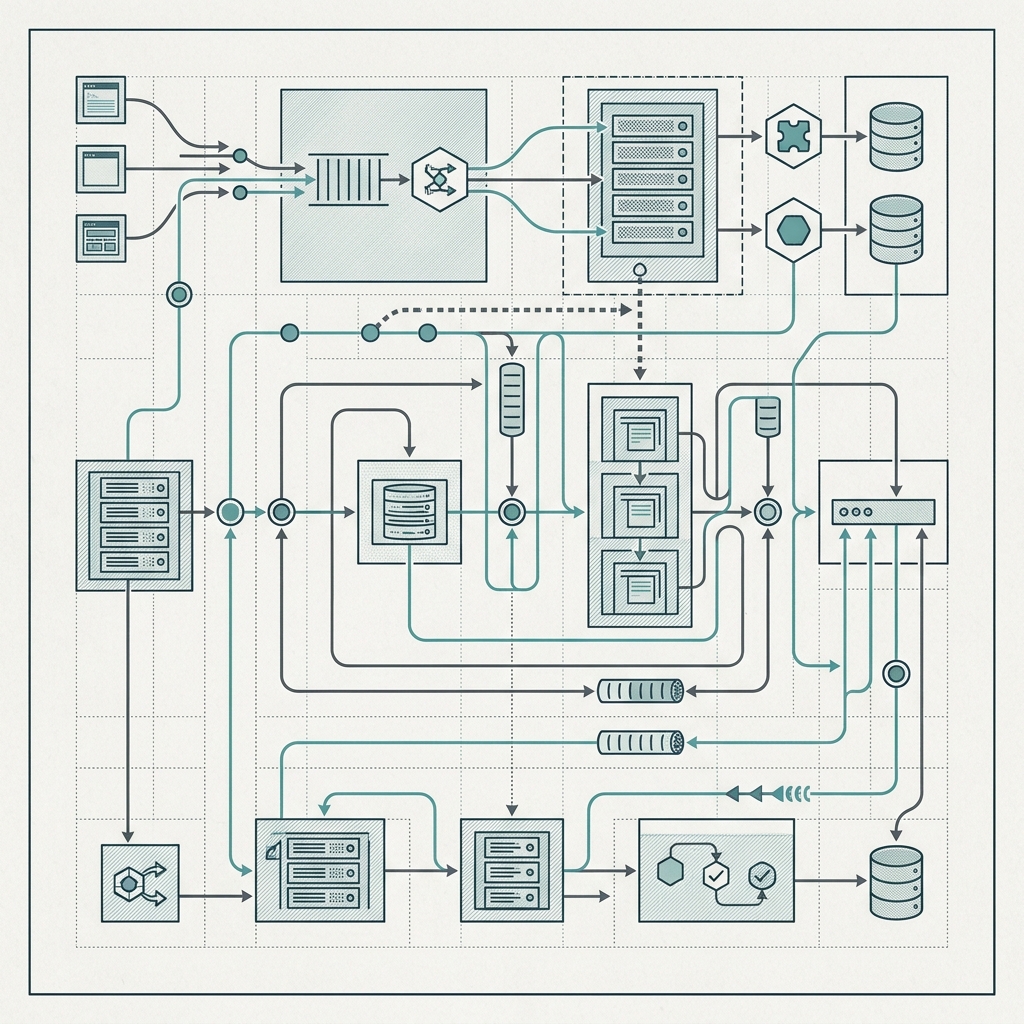
Once you accept that client-side tracking alone introduces unacceptable data quality risk, the question shifts to architecture. The choice between server-side vs client-side tracking is not binary; it is about understanding where each approach excels and building a data quality framework that covers the gaps.
How Server-Side Tracking Closes the Gap
Server-side tracking moves event collection from the browser to your backend infrastructure. Instead of a JavaScript SDK firing an HTTP request from the user's device, your application server captures the event and forwards it to your analytics platform directly. This means the event never touches the browser's network stack, so ad blockers, browser extensions, and client-side script failures become irrelevant to data capture.
The table below breaks down the practical tradeoffs SaaS teams face when evaluating these two approaches.
Factor | Client-Side Tracking | Server-Side Tracking |
|---|---|---|
Data completeness | 60-80% of events captured (varies by audience) | 95-99% of events captured |
Ad blocker resilience | None; blocked by filter lists | Fully bypasses browser-level blocking |
Implementation complexity | Low; drop in a script tag | Medium-high; requires backend changes |
Client-side behavioral data | Rich (scroll depth, clicks, mouse movement) | Limited without hybrid approach |
Privacy and compliance control | Data leaves browser before you can govern it | Full control over what data leaves your infrastructure |
Latency and performance | Adds page weight and network requests | Zero client-side performance impact |
The core takeaway is that server-side tracking dramatically improves data completeness and compliance control at the cost of implementation effort. For SaaS teams where behavioral event tracking accuracy drives product and revenue decisions, that tradeoff is unambiguously worth it. Client-side tracking still has a role for capturing granular UI interactions, but it should not be the sole source of truth for critical business events.
Building a Privacy-First Hybrid Architecture
The most effective tracking infrastructure for SaaS in 2026 is a hybrid model. Critical conversion events (signups, plan upgrades, feature activations, payments) should run through server-side tracking pipelines where they are immune to client-side failure modes. Meanwhile, lightweight first-party data tracking scripts handle engagement signals like page views, scroll depth, and UI interactions. These client-side scripts should be proxied through your own domain, using a first-party tracking setup that avoids triggering ad blocker filter lists. This approach preserves the richness of client-side data for product analytics while ensuring your business-critical metrics are never subject to browser-level interference.
GDPR compliant server-side tracking gives your team full control over data residency and processing. Because events flow through your own servers before reaching third-party analytics platforms, you can strip personally identifiable information, enforce consent decisions server-side, and route EU data privacy tracking through region-specific infrastructure. This is a significant advantage over client-side implementations where data is transmitted directly from the user's browser to a third-party endpoint, often before consent logic has fully resolved.

Conclusion
Client-side tracking served SaaS teams well for over a decade, but the conditions that made it reliable have fundamentally changed. Ad blockers, browser privacy mechanisms, and regulatory requirements now guarantee that any client-only implementation is missing a significant share of critical events. The fix is not to abandon client-side tracking entirely but to build a hybrid architecture where your most important events flow through server-side infrastructure. TrackRaptor covers the full spectrum of SaaS tracking architecture decisions, from ad blocker usage trends to implementation guides. Start by auditing your current event capture rates against server-side logs, quantify the gap, and then prioritize migrating your highest-value events to a pipeline that does not depend on the browser.
Frequently Asked Questions (FAQs)
What is the difference between server-side and client-side tracking?
Client-side tracking uses JavaScript in the user's browser to send events to analytics platforms, while server-side tracking captures events on your application server and forwards them directly, bypassing the browser entirely.
How much data does client-side tracking lose?
Most SaaS teams lose between 20% and 40% of client-side events due to ad blockers, browser privacy features, script failures, and consent rejections, with the exact rate depending on audience demographics.
Why use server-side tracking?
Server-side tracking eliminates browser-level interference from ad blockers and privacy restrictions, giving teams near-complete data capture rates of 95% to 99% for critical business events.
How does server-side tracking work?
Your application server captures user events during normal request processing and sends them to analytics or data warehouse endpoints via server-to-server API calls that never touch the browser.
Can I use both server-side and client-side tracking?
Yes, a hybrid approach is the recommended best practice: route critical conversion events through server-side pipelines while using lightweight client-side scripts for granular UI engagement data.
How does ad blocker blocking affect tracking?
Ad blockers intercept network requests to known analytics domains and prevent tracking scripts from loading or firing, which silently drops events without any error visible to the application.
Is server-side tracking GDPR compliant in the EU?
Server-side tracking supports GDPR compliance by giving teams full control over data processing, residency, and PII stripping before any data reaches third-party platforms, though compliance ultimately depends on your specific implementation and legal basis for processing.