
Server-Side Tracking: Stop Ad Blockers Killing Your Data
Ad blockers are killing your analytics data. Learn how server-side tracking implementation stops the loss and restores first-party data accuracy in your SaaS stack.
Introduction
If your SaaS product targets developers or technical users, your client-side analytics are lying to you. Ad blockers strip tracking scripts before they execute, and server-side tracking implementation can recover upward of 30% of events that never reach your pipeline. The gap is not a rounding error; it is a structural flaw in how browser-based collection works. Routing events through your own backend endpoints eliminates the interception point entirely, giving your data team the complete picture they designed their tracking plan to capture. The question is no longer whether ad blocker data loss prevention matters, but how quickly you can move your event collection off the client.

Why Client-Side Tracking Is Structurally Broken
Client-side tracking relies on JavaScript snippets loaded in the browser. Every analytics vendor, from Google Analytics to Mixpanel, injects scripts that ad blockers are specifically trained to identify and suppress. The problem is not a bug in your implementation. It is an arms race you cannot win at the browser layer.
The Ad Blocker Problem at Scale
Ad blocker adoption has crossed 40% in technical demographics, according to recent usage research. These tools maintain open-source filter lists that catalogue known tracking domains and script patterns. When your analytics snippet loads from a recognized CDN or matches a known fingerprint, it gets blocked before a single event fires. The result is silent data loss: no error messages, no failed requests, just missing rows in your warehouse.
Script blocking: Filter lists target known analytics domains like cdn.segment.com or app.posthog.com, preventing the SDK from loading entirely
Request interception: Even if a script loads, outbound requests to third-party collection endpoints get caught by network-level rules
Cookie suppression: Browsers like Safari and Firefox apply Intelligent Tracking Prevention that caps cookie lifetimes, fragmenting user identity across sessions
Extension layering: Users often run multiple privacy tools simultaneously, creating redundant blocking that catches events your single workaround might have bypassed
What the Data Gap Actually Costs You
Missing 30% of events does not just reduce your sample size. It introduces systematic bias. The users most likely to run ad blockers (technically sophisticated early adopters) are often your highest-value segment. Your client-side data loss disproportionately removes power users from funnels, skews conversion rates downward, and makes A/B tests unreliable. Product decisions built on this data are decisions built on a distorted reality.
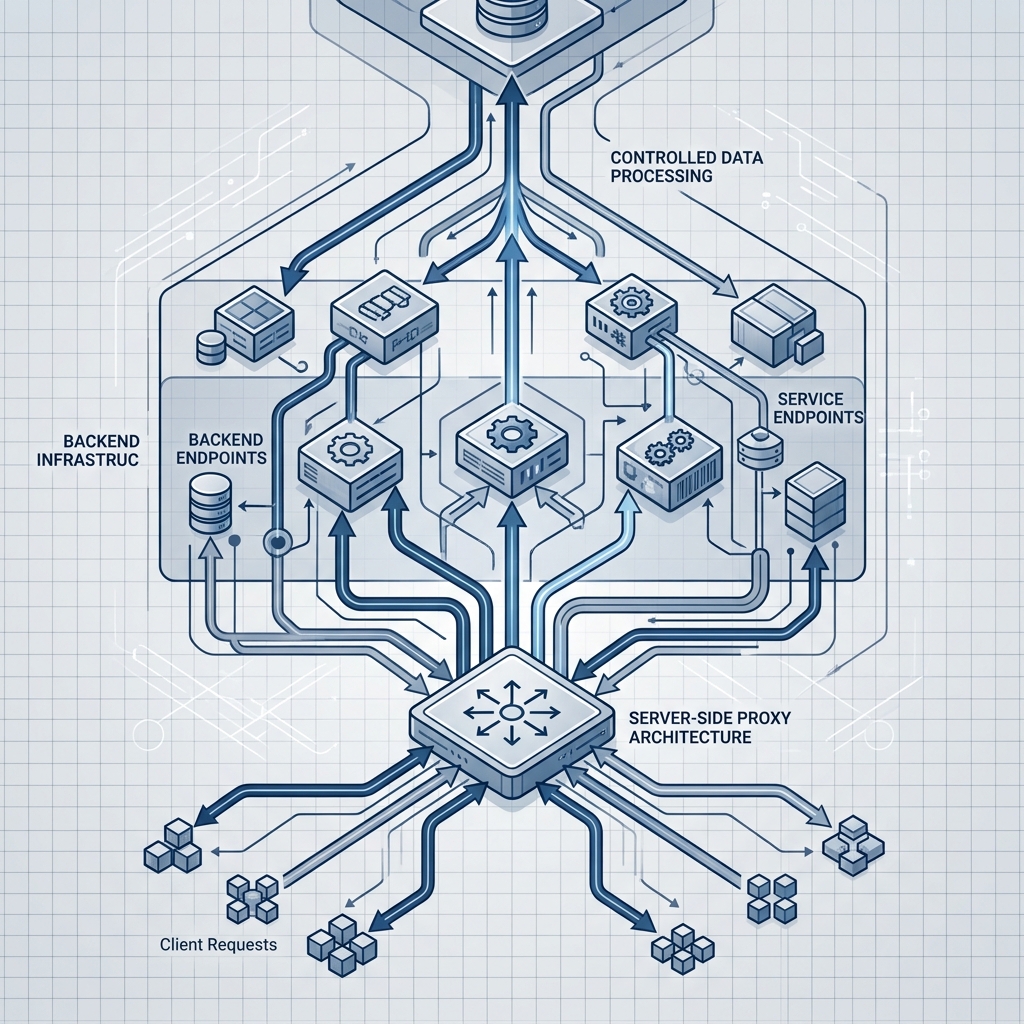
Server-Side Tracking Architecture and Implementation
Server-side event tracking moves data collection from the browser to infrastructure you control. Instead of relying on a JavaScript SDK to fire events directly to a third-party endpoint, your application backend captures user actions and forwards them through API-based event collection. This is not a workaround. It is a fundamentally different and more reliable server-side tracking architecture for first-party data collection.
Core Implementation Patterns
There are two primary patterns for moving to server-side conversion tracking, and most production setups use a hybrid of both. Understanding the trade-offs is critical before writing any code, because each pattern suits different event types and team structures.
The first pattern is proxy-based forwarding. Your frontend sends events to a first-party endpoint on your own domain (e.g., yourapp.com/api/events), which then relays them to your analytics provider. Because the request originates from and terminates at your domain, ad blockers have no third-party signal to intercept. Proxying analytics scripts is the fastest path to ad-blocker-resistant analytics for teams that want to keep their existing SDK instrumentation. The mechanics of server-side forwarding involve your proxy receiving the payload, enriching it with server-side context like IP geolocation or session data, and then posting it to the vendor's ingestion API.
The second pattern is direct backend instrumentation. Your application server emits events at the point where business logic executes: a subscription is created, a feature flag is evaluated, a payment succeeds. There is no browser involvement at all. This approach works well for custom events tied to backend operations like webhook processing, cron jobs, or inter-service communication. Tools like Segment's server libraries and PostHog's API accept these payloads natively.
Building the Event Pipeline
A production-grade server-side setup requires more than a single API call. You need a reliable pipeline that handles batching, retry logic, and schema validation. Start by defining your event taxonomy with strict schemas before writing any forwarding code, because every event should have a validated structure that your backend enforces before it enters the pipeline.
For event forwarding, deploy a lightweight service (a Node.js worker, a Go microservice, or a serverless function) that accepts events from your application, validates them against your schema, enriches them with server-side properties, and dispatches them to one or more destinations. If you are running at scale, piping events through a message queue like Kafka adds durability. Real-time event streaming ensures no events are dropped during downstream outages. The destination layer then fans out to your analytics tools, your data warehouse, or both.

Practical Considerations and Compliance
Moving to first-party data collection server-side is an architectural upgrade, not a flip-of-a-switch migration. Teams that approach it without understanding the trade-offs end up building systems that are harder to maintain than the client-side setup they replaced.
Trade-Offs You Need to Plan For
Server-side tracking gives you control, but that control comes with responsibility. On the client side, tools like tag managers handle event routing, consent gating, and destination management through a UI. When you move server-side, your engineering team owns all of that logic. You need to build and maintain consent checks in your forwarding layer, manage API keys for every destination, and monitor delivery health yourself.
Identity resolution also gets more complex. Browser-based SDKs automatically associate events with cookies and device IDs. On the server, you need to pass a user identifier with every event, which means your authentication and session management must be airtight. Anonymous user stitching requires deliberate engineering. The payoff is worth it: data accuracy improves dramatically, and you gain the ability to enrich events with backend context (subscription tier, feature flags, billing status) that browser scripts never had access to.
GDPR, CCPA, and First-Party Data
Server-side tracking does not exempt you from privacy regulations, but it positions you to comply more effectively. Because events flow through your infrastructure, you have a single enforcement point for consent checks. When a user opts out under GDPR, your forwarding layer can suppress events before they reach any downstream tool. This is cleaner than trying to coordinate consent across multiple client-side tags that may or may not respect the signal.
Global privacy regulations increasingly favour first-party data collection where the data controller manages the pipeline directly, and CCPA-compliant tracking follows the same principle. TrackRaptor has covered this intersection extensively for teams evaluating warehouse-native architectures versus CDPs, where the compliance benefits of owning your pipeline compound with the analytical benefits.
Conclusion
Client-side-only tracking is a liability for any SaaS product with a technical user base. Server-side tracking eliminates the ad blocker interception point, recovers the events your pipeline is silently losing, and gives your team a controlled environment for consent enforcement and data enrichment. The implementation requires upfront engineering investment in proxy endpoints, schema validation, and reverse ETL workflows, but the return is a data foundation you can actually trust. Start with a proxy-based approach to recover blocked events immediately, then layer in direct backend instrumentation for your highest-value conversion events.
Explore TrackRaptor for deep-dive guides on tracking infrastructure, event pipelines, and building analytics systems that actually hold up under production conditions.
Frequently Asked Questions (FAQs)
How does server-side tracking prevent ad blocker data loss?
Server-side tracking routes event collection through your own backend endpoints on your domain, so ad blockers never see a third-party request to intercept or suppress.
What is the difference between server-side and client-side tracking?
Client-side tracking runs JavaScript in the user's browser, where it can be blocked, while server-side tracking captures and forwards events from your application server, where no browser extension can interfere.
How to migrate from client-side to server-side tracking?
Start by deploying a first-party proxy endpoint that receives your existing SDK events and forwards them to your analytics provider, then incrementally add direct backend instrumentation for critical conversion events.
Can server-side tracking improve data accuracy?
Yes, server-side collection typically recovers a significant percentage of events lost to ad blockers and browser privacy features, while also enabling enrichment with backend data like subscription status and feature flags.
What tools support server-side tracking?
Segment, PostHog, Amplitude, Mixpanel, and Snowplough all offer server-side SDKs or HTTP APIs that accept events directly from your backend infrastructure.